
1
Lesson-level clarity
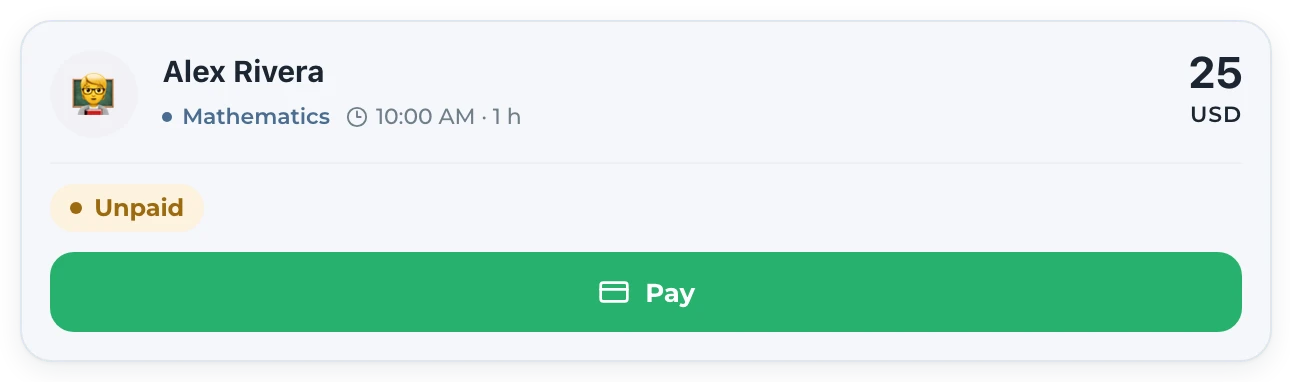
See which specific lessons are paid, waiting for confirmation or unpaid instead of maintaining only a total balance.
 Tutor
Tutor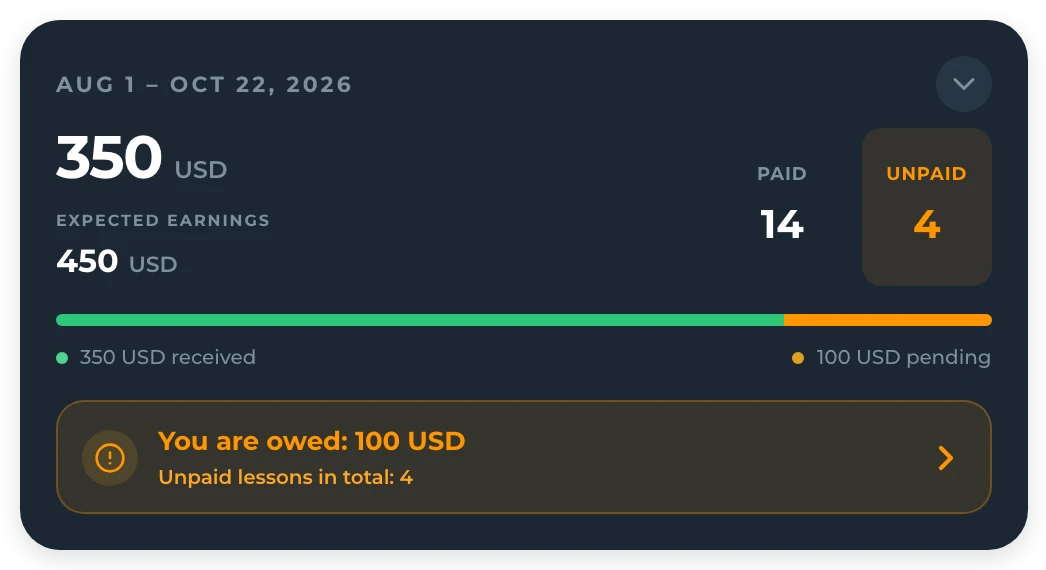
Payment tracking for private tutors
Teach Space connects payment status to the lesson, its duration and the student behind it. Tutors see expected earnings and unresolved lessons while students or parents can report an offline payment for confirmation.
A payment spreadsheet becomes another record to update after attendance, rescheduling and price changes. Teach Space calculates the operational picture from the teaching workflow, then gives both sides a clear confirmation step so a transfer or cash payment does not disappear inside a chat.
How it works
The ledger follows the lesson record instead of relying on memory.
The tutor keeps the lesson, attendance, duration and student price in the same working context.
Paid, pending and unpaid lesson states show what has arrived and what still needs attention.
A student or connected parent reports an offline transfer or cash payment from their account.
The tutor verifies the claim and keeps the shared payment record reconciled.
One record, not another tab
See which specific lessons are paid, waiting for confirmation or unpaid instead of maintaining only a total balance.
TutorThe payer can report a transfer, but the tutor remains responsible for confirming receipt.
 Parent
 Tutor
Tutor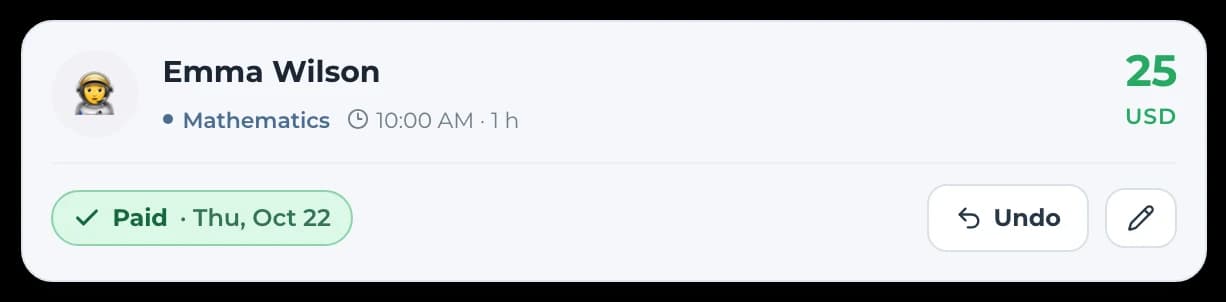
Review earnings alongside lesson duration, attendance and the individual student pricing already used in the schedule.
Tutor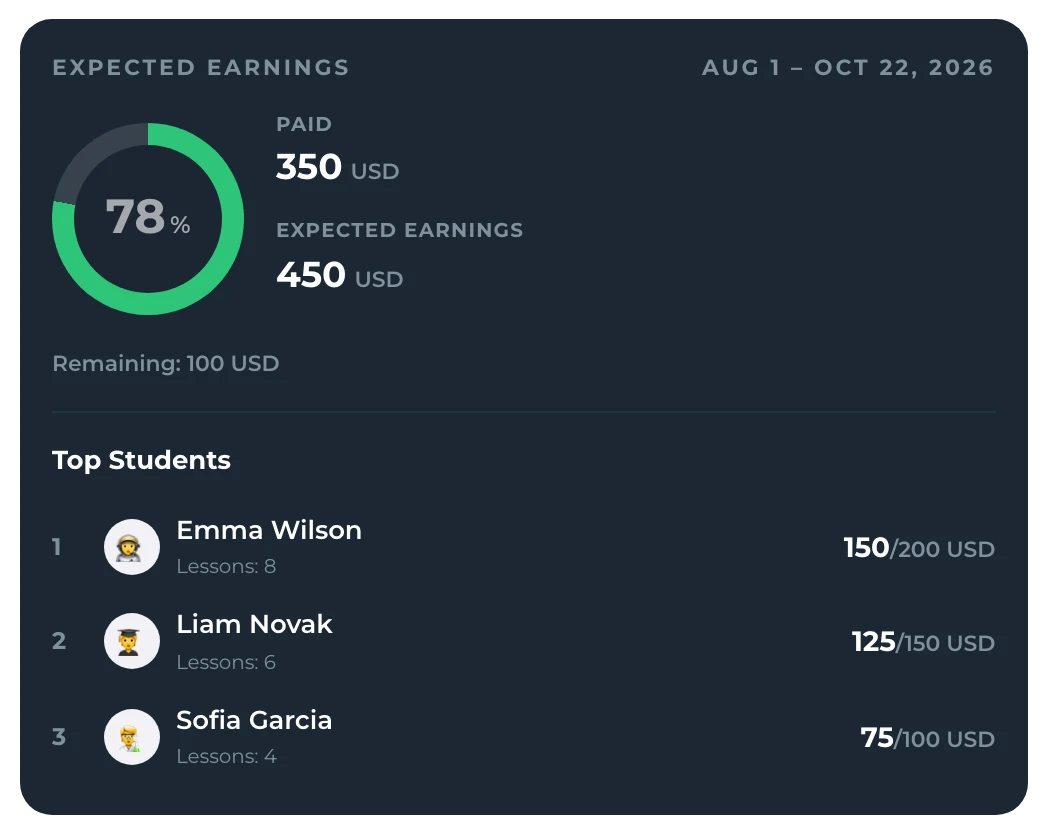
One workflow, connected accounts
 Alex RiveraTutor
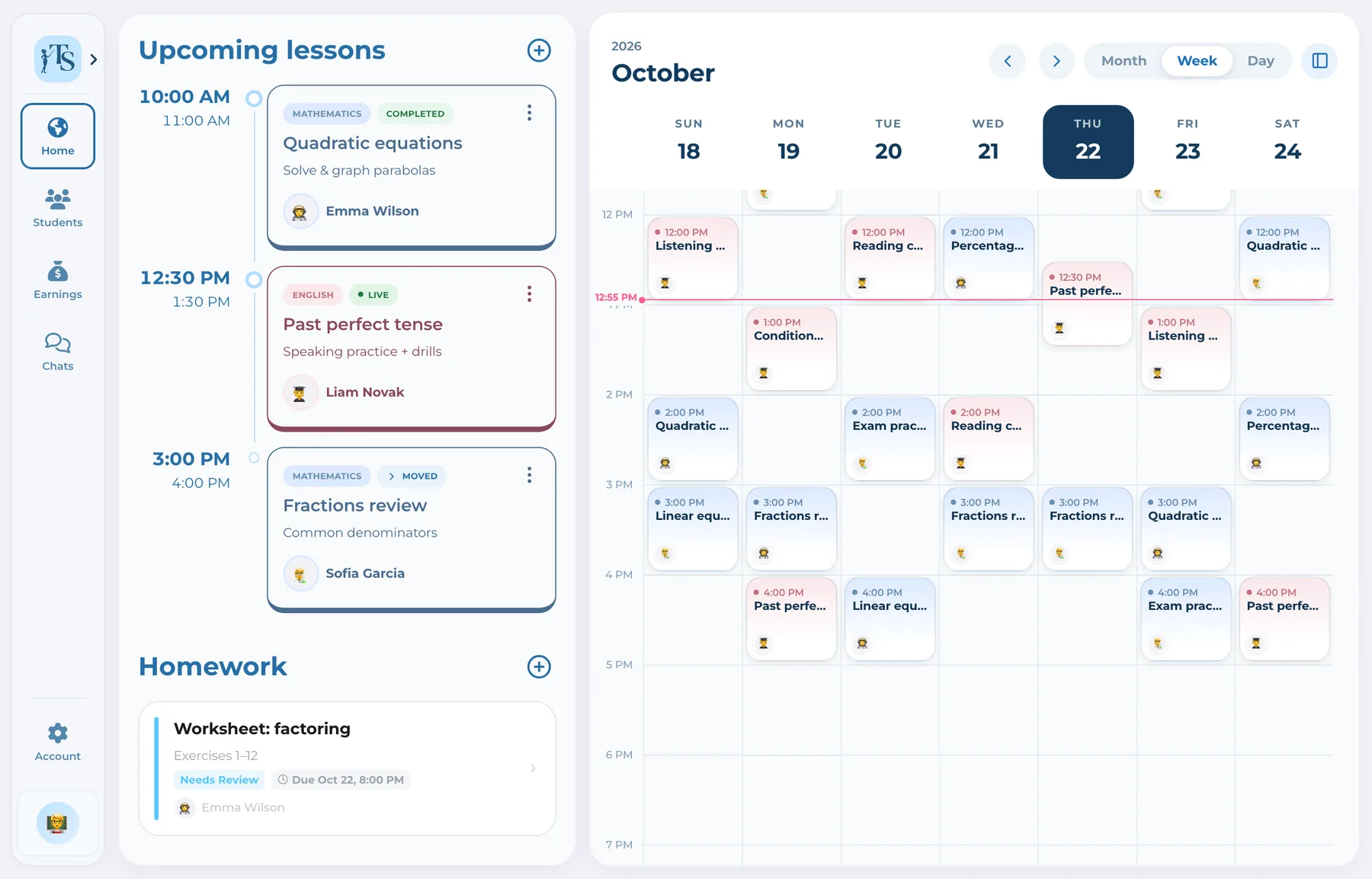
Reviews earnings and lesson statuses, receives payment claims and confirms the money that actually arrived.
Good to know
Answers before you start
No. It tracks payments made outside the app, such as bank transfer or cash, and provides a claim-and-confirmation workflow.
Yes. A connected parent can report a relevant offline payment, and the tutor confirms whether it arrived.
Yes. The tutor can distinguish paid, pending and unpaid lesson records and use that view to reconcile expected earnings.
Yes. Payment status belongs to the same lesson workflow that includes the student, duration and attendance context.
Payment tracking for private tutors
Stop checking the calendar, chat and spreadsheet just to understand who paid.